Using Equifyi
A quick tour of the everyday features. Have a scroll — it’s all designed to be tapped, not read.
Your home screen
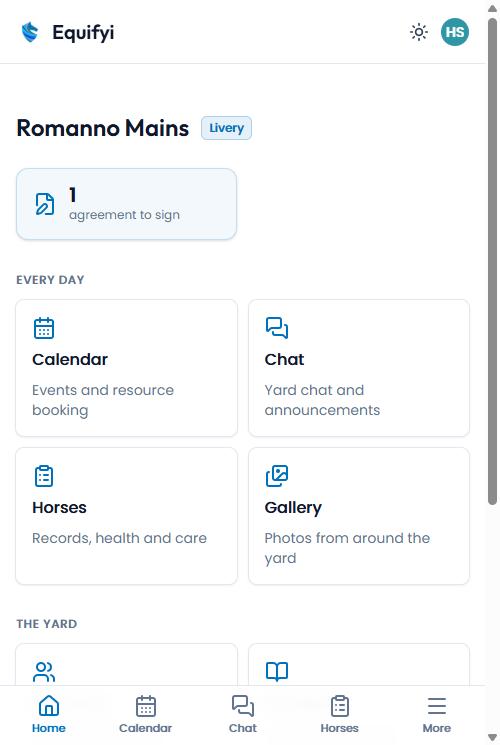
Everything for your yard in one place. The cards jump you to each area, and anything needing attention — like a contract to sign — shows up top.
- Your yard name and your role are shown at the top
- Tap any card to open that area
- The bar along the bottom is your quick nav
Horses
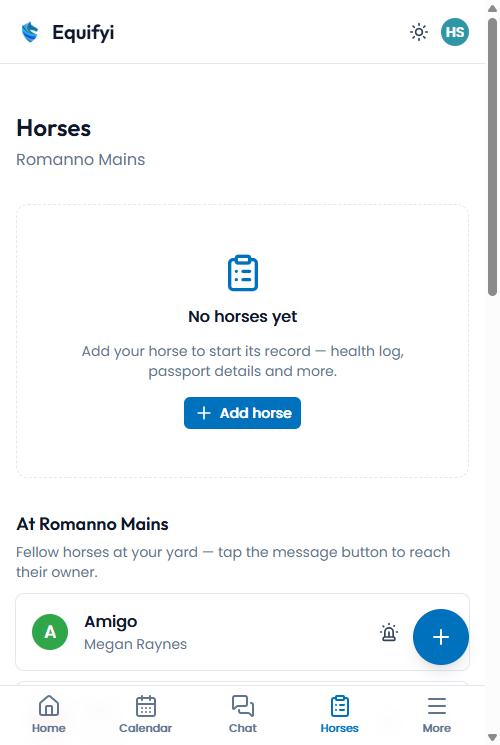
Your horse’s full record — health log, passport details, care instructions, notes and emergency contacts. You can also see fellow horses at your yard.
- Your own horses sit at the top
- Tap the 🔔 on a yard horse to see its emergency contacts
- Message another owner with the chat button
- “Log a visit” records one vet, farrier or physio visit for several horses at once — tick the horses, set the next due
Add your horse
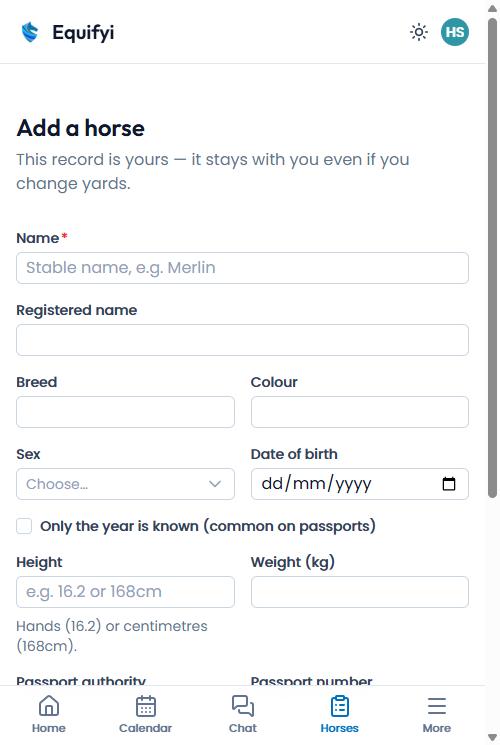
Tap “Add horse” and fill in as much or as little as you like — just a name to start. The record is yours and follows you, even if you change yards.
- Only the name is required
- Add breed, colour, height, passport and more any time
- A photo makes it easy to spot at a glance
Calendar
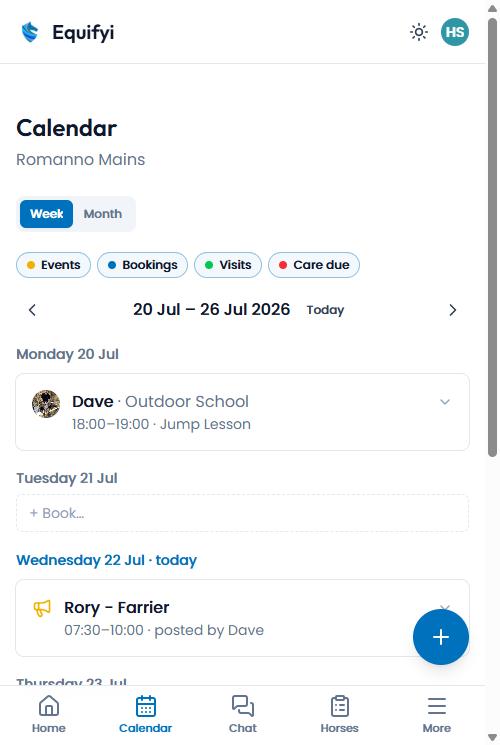
Your yard’s week at a glance — lessons, bookings, vet and farrier visits, and care that’s coming due. Filter by what you want to see.
- Switch between Week and Month, then pick a style with the icons by the dates — the week has Agenda, Stacked or Timeline on a phone (Columns on a bigger screen); the month has Chips or Agenda
- Timeline shows the yard’s opening hours down the side so you can see when the school is free — tap an empty hour to book it
- Tap “+” then Book (e.g. “Book the School”) to reserve it for your ride — “Add yard event” is for things everyone needs to know about
- A booking can name your horse, a yard service (it goes on that horse’s services list) or an outside trainer, and be “Any time” when there’s no fixed slot
- “+” then “Log a visit” records a vet, farrier or physio visit for one horse or several at once — tick the horses and set the next due
Chat
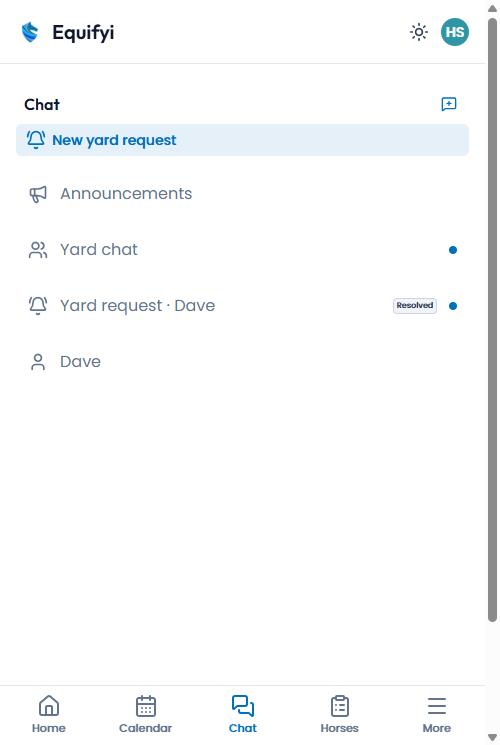
Talk to your yard. There’s a channel for everyone, owner announcements, and you can message people directly or raise a request.
- Yard chat is for everyone
- Announcements are from the yard owner
- Raise a “yard request” for something you need
That’s the tour
Best of all, it’s in your pocket. If you haven’t yet, install Equifyi on your phone.